Working the leads
Steps one and two of the workflow happen inside Go High Level. This is the daily routine — the dialer, the conversations queue, your contacts and opportunities lists, and the four tabs on every lead that decide whether the file is real.
The daily routine
What working a lead actually means
Six things, every calling block. Skip one and the file stalls somewhere downstream — usually on the closer's desk.
Open the dialer
Every calling block starts here. The dialer queue pulls your assigned leads so you work top-down instead of cherry-picking.
Work Conversations
Filter the Conversations tab by name or by email and text reply, then answer. A lead who replied is warmer than one who never picked up.
Work Contacts
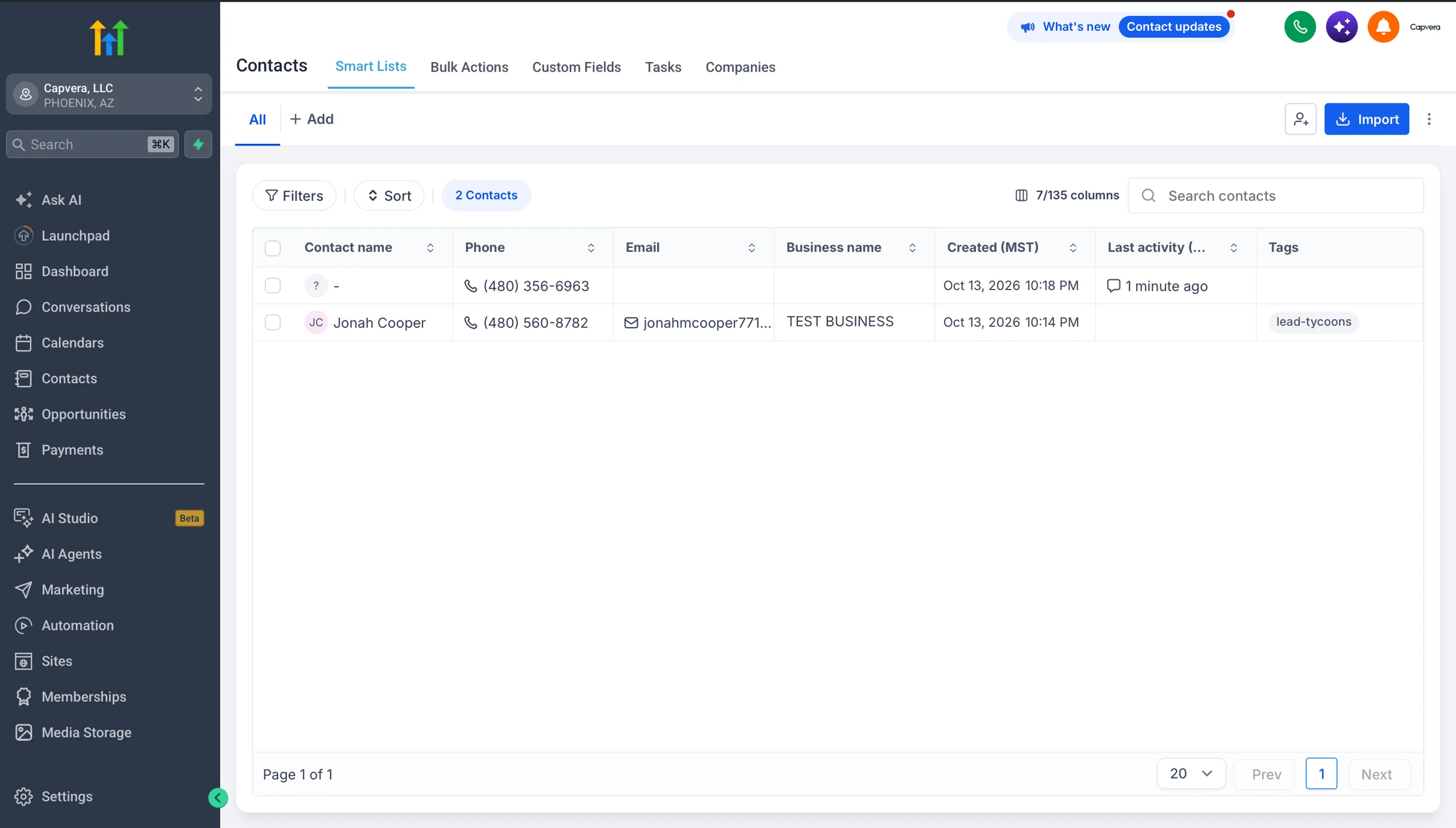
Pull your list from Contacts. Update every field you learn on the call — the fields you skip are the ones the closer has to ask for again.
Work Opportunities
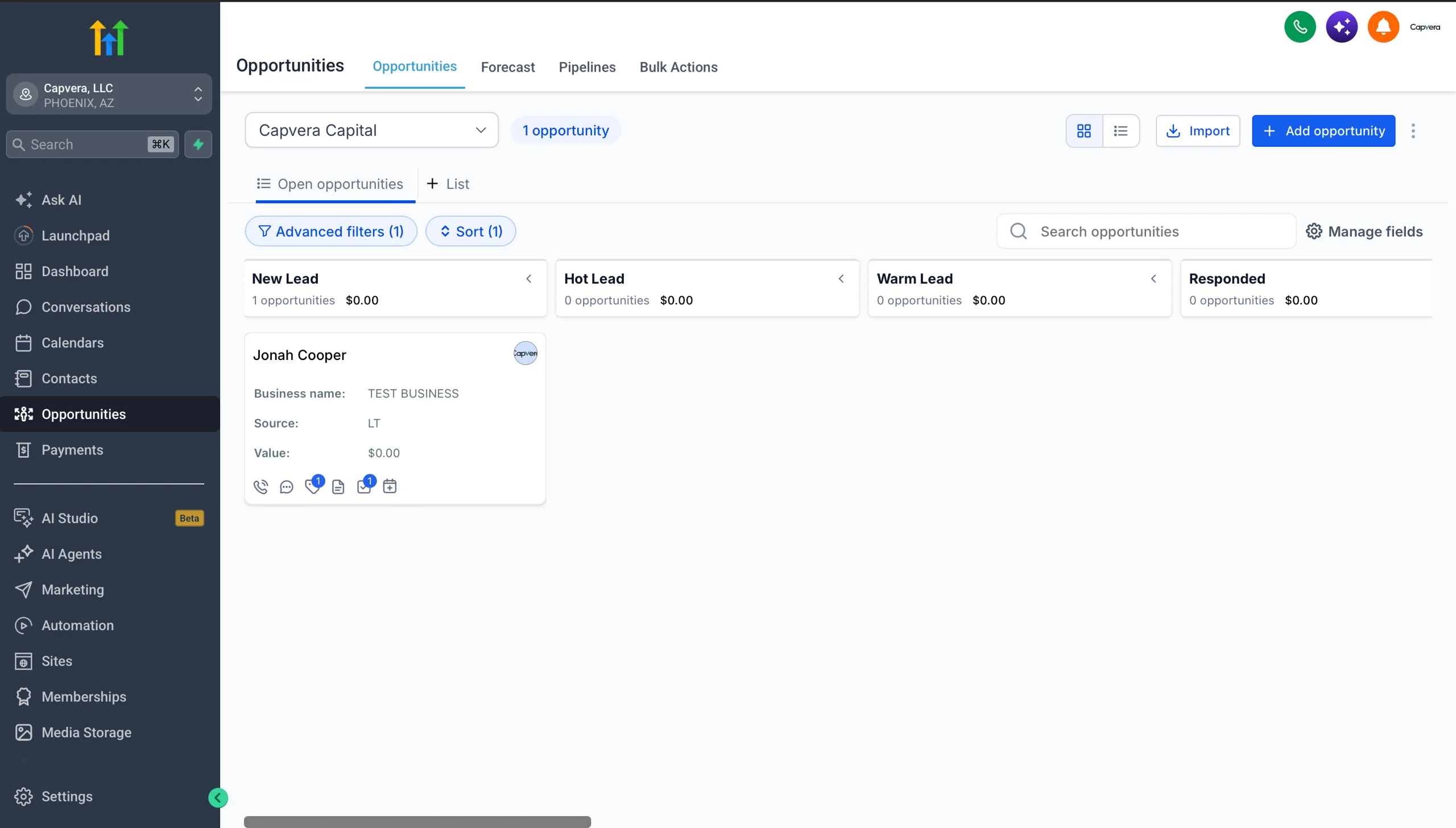
Your pipeline lives in Opportunities. Move every card as the lead progresses and make sure nothing sits in New Lead.
Log a note on every call
No exceptions. Detailed notes after each dial — what was said, what they need, what they pushed back on, and the next step.
Upload the documents
When paperwork comes in, it goes straight to the Documents tab. A file that only exists in your inbox is not in the file.
Your pipeline is the Opportunities tab
Every lead you are assigned appears as a card, sorted by stage — New Lead, Hot Lead, Warm Lead, Responded. The stage is not decoration: it tells you and everyone else how far along the lead actually is.
Work the list from the top. A card that has not moved in a week is a card nobody is calling.
 View full size
 View full size
Contacts is where the details live
The Contacts list is searchable by name, phone, email, business and tag. This is where you work your list when you are not filtering by stage — and where you fix a record that is missing a phone number or an email.
A contact with missing fields is a lead you will lose. Fill them in as you learn them on the call.
One lead, three panels
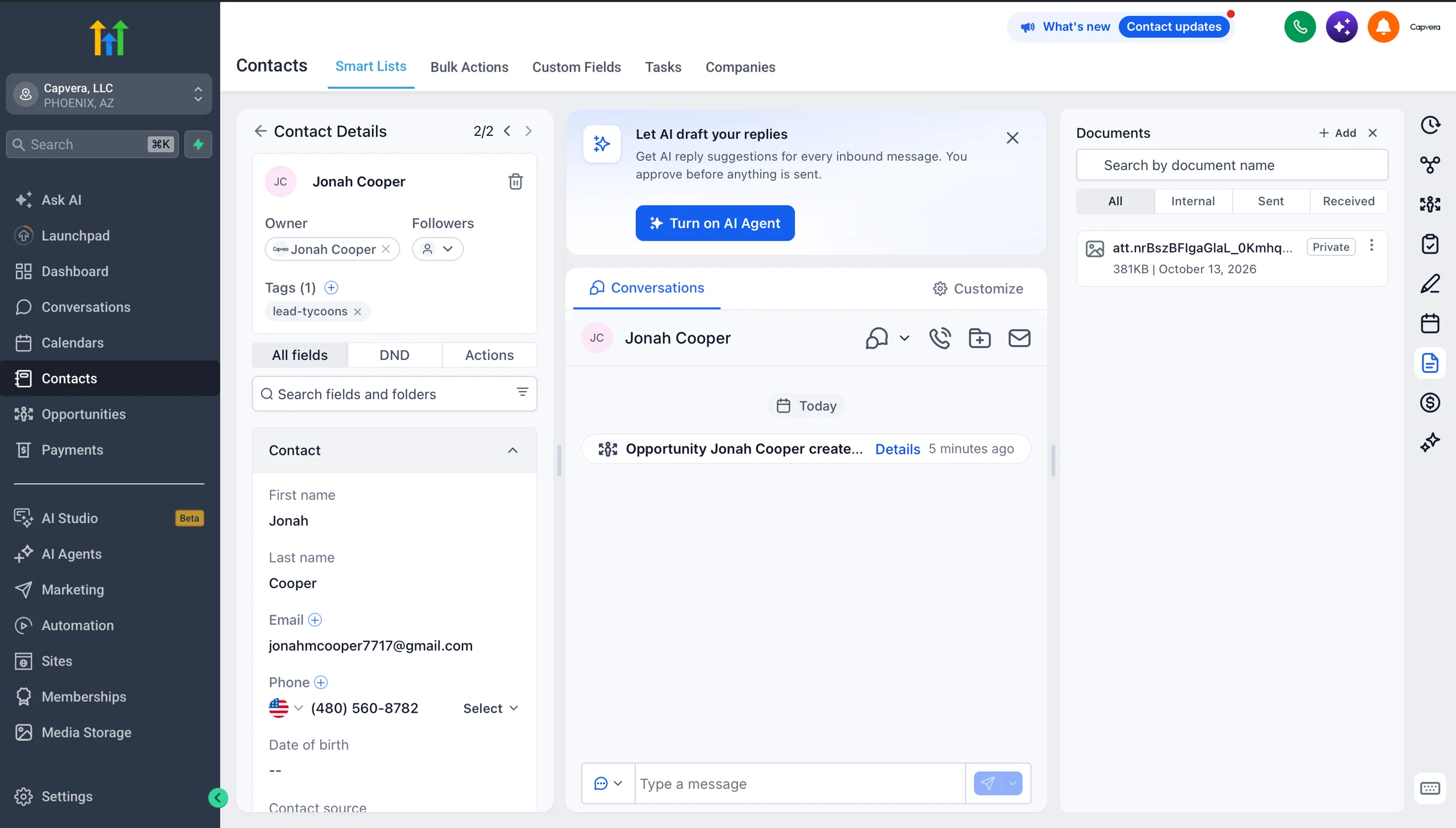
Open any contact and the screen splits into three. Learn where everything sits, because this is the view you will live in.
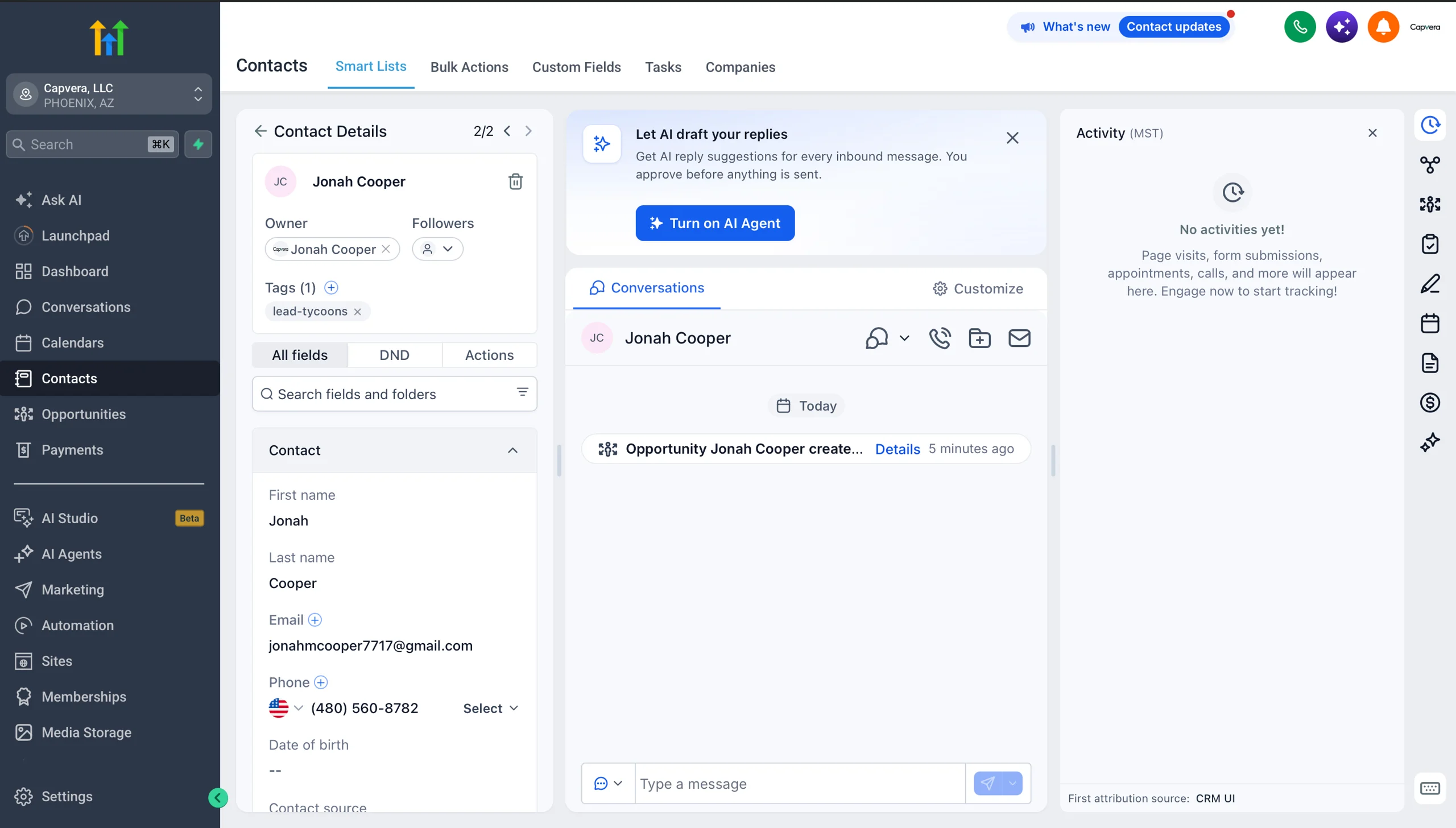
Left — All fields
Everything you know about the lead: name, phone, email, tags, owner, and the custom fields you fill in as you qualify them.
Middle — Conversations
The full thread of texts and emails with this lead, plus any call recording. Scroll it before you dial — the answer to your question is often already in the thread.
Right — The four tabs
Notes, Documents, Tasks and Activity. Hover any icon in the right rail to see which is which.
The four tabs
What has to be true before you move on
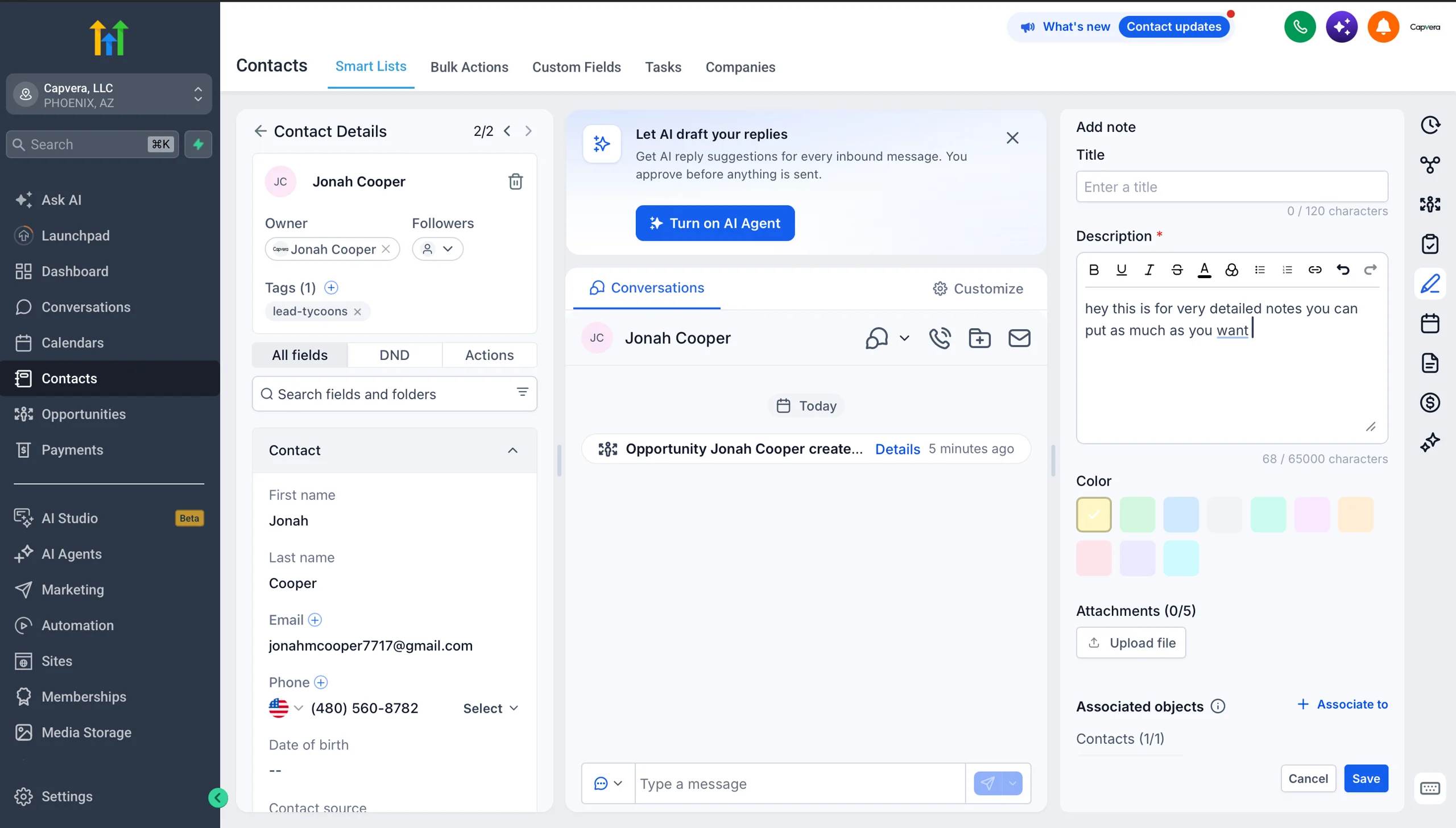
Notes
Every call gets a note. In detail.
This is the log the closer reads before they dial. If your notes say "called, no answer," the closer learns nothing and the lead gets asked the same questions twice.
- Write the note right after the call, while it is fresh.
- Capture what they said, not just that you spoke — revenue, positions, what the money is for.
- Log the objection and how they responded.
- Always end with the next step and when it happens.
Documents
Everything loads here. Nothing skips this tab.
When you fill out an application it auto-syncs into this tab, and when the client completes one themselves it lands here too. This is the single place the file lives.
- Voided check
- Bank statements — or processing statements
- Driver's license
- The completed application
Tasks
A lead without a task is a lead you will forget.
Tasks are how a follow-up survives the end of your shift. Anyone can work the leads on their screen — the task list is what catches the ones who went quiet.
- Set the task the moment you agree a next step.
- Date it to the actual day, not "sometime next week."
- Work your task list at the start of every block.
Activity
Your activity tells the whole story.
Every call, text, email, appointment and stage move lands on this timeline automatically. When a manager asks what happened with a lead, this is the answer — and it is built from what you actually did.
- Read it before you call a lead you have not touched in a while.
- Use it to see where a lead stalled.
- It is the record of your work — keep it clean by keeping the CRM clean.
Booking the appointment
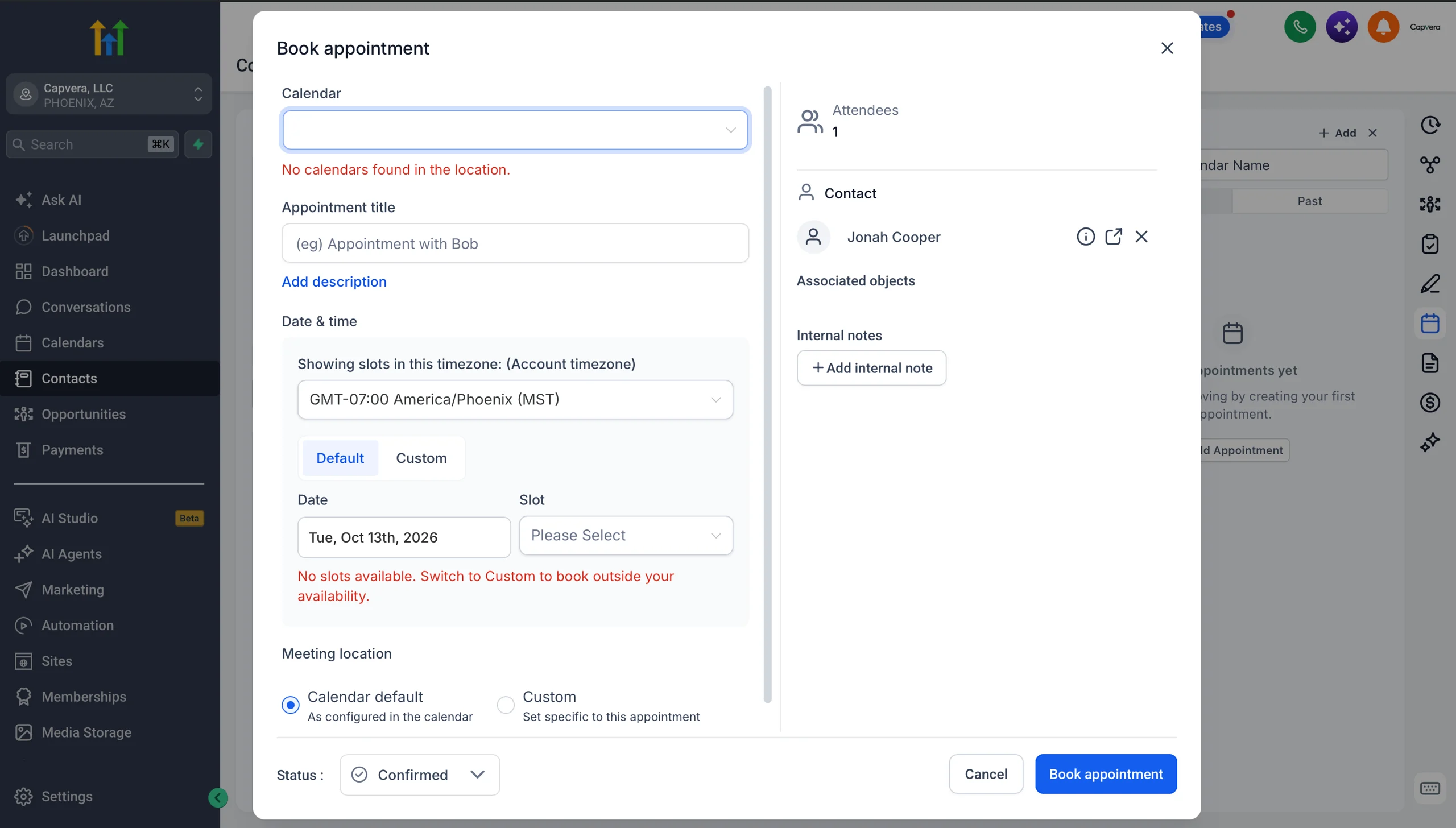
Three things go wrong on every bad booking: the wrong timezone, the wrong calendar, and a slot that does not exist. Get all three right and the lead shows up.
Check the timezone first. The dialog defaults to the account timezone, not the client's. Pick the client's zone before you read out a time, or you will book the wrong hour.
Pick the right calendar for the stage the lead is at. If no slot shows, the client is outside your availability — switch to Custom and book it manually rather than forcing a slot that does not exist.
 The Book appointment dialog
The four appointment types
Book the stage the lead is actually at — not the one you want them to be at.
Funding Discovery Call
The application and document collection call. You are gathering the file, not quoting numbers.
Setter (Junior Advisor)
Funding Strategy Call
Paperwork review and the plan — build or fund.
Closer (Senior Advisor)
Capital Terms Call
Going over the funding numbers.
Closer (Senior Advisor)
Build Terms Call
The payment model with Clover and the payment rails, then funding.
Closer (Senior Advisor)
The standard
A lead is worked when all of this is true: the call happened, the conversation was answered, the contact record is complete, the opportunity moved, the note is written, the documents are uploaded, and the next appointment is booked with the right calendar in the right timezone. Anything less and you are handing the closer a half-finished file.